
You can access the Entire Operations Web Client documentation online to obtain general usage information or help on a specific function.
The Entire Operations Web Client documentation (including PDF books) is also available at Software GmbH's Empower web site at https://empower.softwareag.com/ (Empower login required).
This section covers the following topics:
You can use the TECH direct command to
display technical information on your current Entire Operations session as
shown in the following example:
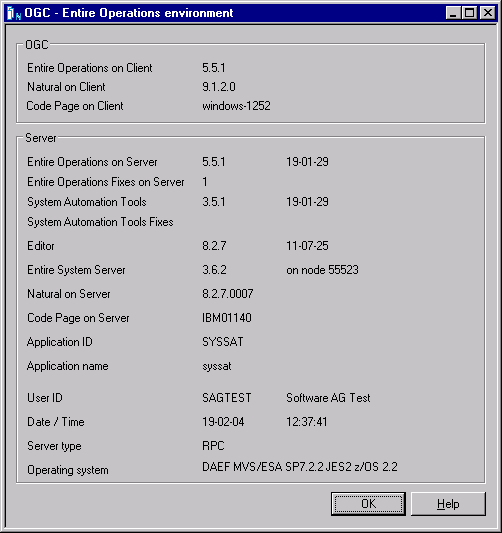
For further information, see TECH in the Direct Commands documentation.
You can obtain additional information on the system messages that can appear in the Entire Operations version installed at your site.
 To display the long
text for a short system message
To display the long
text for a short system message
Enter the HELP direct command in the
Command input field for the message
(here: EOR0024 - Invalid Date Format) received:
For example:
HELP EOR0024
(EORnnnn for Entire
Operations messages or NATnnnn for
Natural messages)
Press ENTER.
A help dialog opens with additional explanations and (if relevant) advice on how to correct an error:
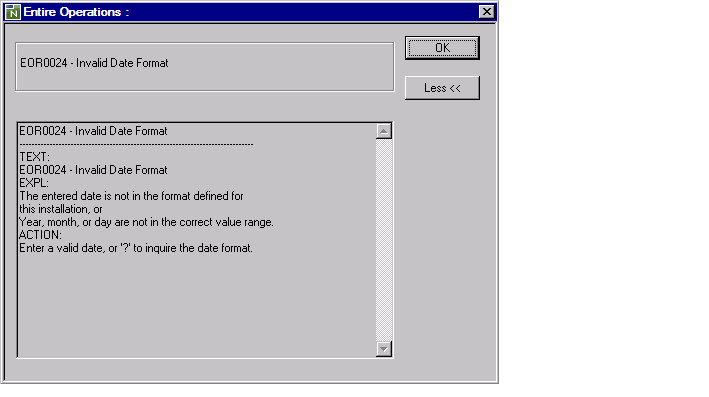
For further information on the
HELP
direct command, see the relevant section in the Direct
Commands documentation.
Entire Operations Web Client displays status or error messages at the following locations:
placeholder