
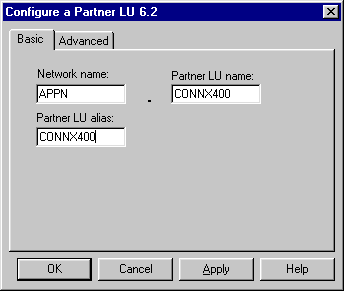
From the Definition Hierarchy by Function pane, select the Partner LU 6.2 node, and then click the Create button. The Configure a Partner LU 6.2 dialog box appears.
Enter the NetID and the system name of the target OS/400 database in the Network name and Partner LU name text boxes. This information can be displayed via the DSPNETA command.
Define a Partner LU Alias, which in this example is the same as the Partner LU name = CONNX400. (Example only.) Check with your system administrator
for the netid.luname of the target OS/400.
Accept the defaults on the Advanced tab.