
1. Select a field to change in the Detail section of your report.
2. Select the DataField
property in the Properties list box. Select a new field from the list
and then press <Enter>.
The list of fields shown represent the fields available in the query or
data source.
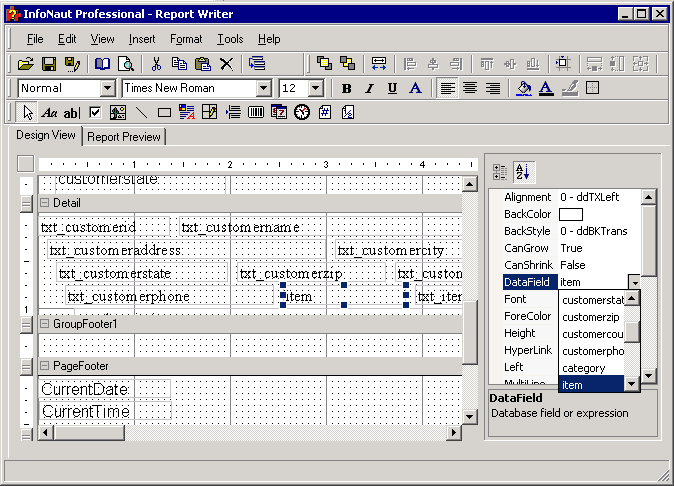
3. The name of the new field appears in the Detail section.