
1. Select the frame surrounding the report header.
2. Click the Back Color button on the formatting toolbar.

Back Color button
3. The Colors
dialog box opens. Select one of the colors offered or create a custom
color by clicking the Define
Custom Colors button.
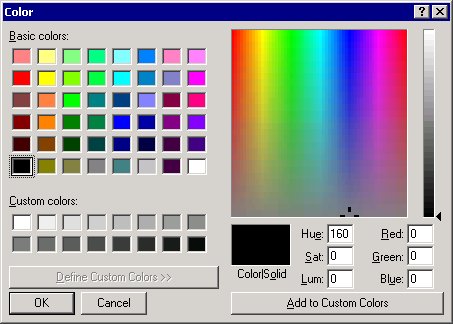
4. Select a color for the font, and then click the OK button.
5. The back color changes to match your selection.